
The Complete Guide to Switching Your Restaurant POS System
It’s time to make the switch, and it’s not as difficult as you think. Here’s how to make a restaurant POS switch and when to do it.

Tessa ZuluagaAutor
 RECURSO
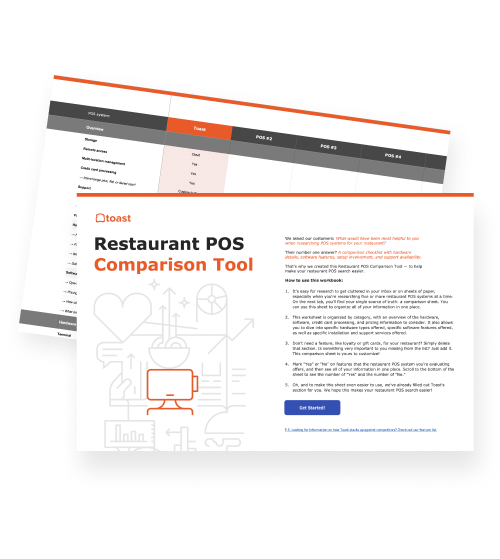
 Herramienta de comparación de puntos de venta (POS)
Una herramienta gratuita de comparación de POS para restaurantes, que permite investigar y comparar sistemas de puntos de venta en una hoja de Excel.
Obtener descarga gratis | Creado para restaurantes
As of 2025, one in four (25%) restaurant operators report they are "very likely" to expand their business in the next year. Whether you're opening a new restaurant, scaling up operations, or simply looking to improve efficiency at your current establishment, growth often comes with a critical question: Is your current point-of-sale (POS) system holding you back or helping you move forward?
For many restaurateurs, expansion or operational improvements reveal the limitations of their existing POS technology. Maybe it doesn't integrate with delivery apps, forcing you to reconcile reports manually. Or your staff struggles with a clunky interface during rush hours. These frustrations are signs it's time for a change.
Switching POS systems might seem daunting. But with the right approach and preparation, migrating to a new system can be smoother than you think. This guide will walk you through everything you need to know to make a successful POS switch that positions your restaurant for sustainable growth.
Ready to make this switch? Let’s get started.
Plantilla de manual de operaciones para restaurantes
Usa esta plantilla gratuita para describir fácilmente todos tus procedimientos operativos y lograr que las operaciones diarias sean tan uniformes como sea posible.

How to start switching your POS: Evaluate your needs
Before diving into new systems, take stock of what's not working. Make a list of everything your current POS lacks that slows down your operations so you can choose the right POS for your business. Consider these essential factors:
Core functionality:
Cloud-based capabilities for remote access
Easy menu management and daily specials updates
Fast payment processing with multiple payment options
Inventory management and analytics
Support, integrations, and other features:
Commission-free online ordering integration
Reservation system compatibility
24/7 IT and customer support
Payroll and employee management tools
Loyalty programs, gift card offerings, and customer data storage
User experience:
Payment processor that accepts a variety of credit cards and contactless payment options
Intuitive interface with search functionality
Tableside ordering options
Drop/spill-proof POS hardware
Night mode for low-light environments
Fast-loading POS software
Based on your findings, prioritize what's most important for your business. Is it seamless third-party delivery integration? Better reporting? Faster payment processing? These priorities will guide your selection process.
Understanding your POS options
There are three main types of POS systems to consider:
Legacy (On-Premise) POS: Legacy POS systems are traditional systems that store data on local servers and require manual updates by technicians. While familiar to some older establishments, they lack the flexibility modern restaurants need. Examples include Micros POS and Squirrel POS.
Cloud-Based POS: These Software-as-a-Service (SaaS) platforms store data on remote servers, giving you real-time access from anywhere with wifi. You can update menus from home, check sales from your phone, and access reports instantly. Examples include Toast POS and Square POS.
Hybrid POS: These systems combine cloud functionality with hardwired connections. They offer some cloud benefits while maintaining a physical connection to your restaurant. Examples include TouchBistro POS and OrderCounter POS.
For most modern restaurants, cloud-based systems offer the flexibility, real-time data access, and remote management capabilities needed to stay competitive.
Planning your migration without closing your doors
Here's the key concern for most operators: you don't need to close your restaurant to switch POS systems. With proper planning, you can make the transition during off-hours and be ready to serve guests the next day. Here's how:
Step 1: Choose your installation timing strategically
Select the slowest day of your week for your first service on the new system. For most restaurants, this is a Tuesday or Wednesday. Schedule your installation to begin immediately after you close on Monday night (or your slowest closing night). Most modern POS solution installations, like Toast, take approximately 4 hours, meaning your system can be fully operational before you open on Tuesday morning.
Step 2: Prepare your data in advance
Work with your new POS provider in the weeks leading up to installation to:
Transfer your complete menu with accurate pricing
Set up your floor plan and table configurations
Import employee information and access levels
Configure your payment processing
Set up integrations with delivery platforms and reservation systems
The more preparation you do beforehand, the smoother your installation night will be.
Step 3: Train your staff before go-live
Don't wait until the system is installed to introduce your team to the new technology. Start training 1-2 weeks before your switch date:
Initial introduction (week 1):
Show your team a demo of the new system during a pre-shift meeting
Explain why you're making the switch and how it will benefit them
Highlight key differences from your current system
Address concerns and answer questions
Hands-on practice (week 2):
Invite staff to come in during off-hours to practice on the demo system
Have them run through common scenarios: taking orders, splitting checks, processing payments, handling modifications
Let them explore the interface and make mistakes in a no-pressure environment
Focus on your most tech-hesitant staff members to build their confidence
Create quick reference materials:
Develop simple cheat sheets for common tasks
Post these near each POS terminal for easy reference
Include screenshots of key screens and step-by-step instructions
Plantilla del manual de capacitación
Usa esta plantilla de manual de capacitación para restaurantes, un documento de Word personalizable, para proporcionar a tu personal las reglas, pautas y claridad que necesitan para hacer su trabajo con eficiencia.
Step 4: Installation night
On installation night, your POS provider will handle the technical setup. Review any site readiness requirements beforehand to ensure a smooth installation. Many providers, like Toast, offer onboarding consultants who can answer questions throughout the process.
While the installation happens, this is also a great time to:
Deep clean your POS stations
Organize your service areas
Review your updated menu one final time
Run through your staff schedule for the week ahead
Step 5: Your first day on the new system
Tuesday morning arrives, and you're ready to open on your new POS. Here's how to set your team up for success:
Pre-service meeting:
Gather your team 30 minutes before opening
Walk through the new system one more time as a group
Assign your most tech-savvy staff members as "floor captains" who can help others
Remind everyone that mistakes are expected and that you're all learning together
Keep the meeting brief and positive
During service:
Have your manager or owner on the floor for the entire shift
Keep your onboarding consultant's contact information handy
Be prepared for service to run slightly slower than usual—this is normal
Celebrate small wins with your team throughout the shift
Take notes on any recurring issues or questions
Post-service debrief:
Gather feedback from your staff immediately after closing
Identify any pain points or confusion areas
Address these issues before your next shift
Acknowledge the team's adaptability and hard work
Step 6: The first week
Continue to support your team through the adjustment period:
Days 2-3: Staff will start finding their rhythm. Keep floor captains available and maintain extra management presence during service.
Days 4-5: Most team members will feel comfortable with basic functions. Focus training on advanced features like handling complex modifications or navigating reports.
Weekend service: By your first weekend, your team should feel confident with core operations. Your service speed should return to normal levels.
End of week 1: Host a team meeting to celebrate the successful transition, address any lingering concerns, and gather suggestions for workflow improvements.
Optimizing your setup for efficiency
Beyond the basic installation, consider these factors to maximize your new system's potential:
Steps of service: Think strategically about POS terminal placement. High-volume restaurants with large floor plans might benefit from multiple terminals at each server station. Smaller operations might need only two terminals total. Consider adding handheld devices for tableside ordering and payment, which can significantly reduce steps and speed up service.
Modern features: Take advantage of technologies like QR code ordering for fast-casual concepts, where guests can scan, order, and pay from their phones in under 10 seconds with Apple Pay. For full-service restaurants, handheld POS systems keep service flowing smoothly for indoor, outdoor, drive-through, and curbside service.
Why restaurants switch to Toast
Compared to other industry leaders, Toast stands out in several key areas:
All-in-one solution: From POS to payroll to delivery and beyond, Toast connects it all in one cloud-based platform you can access from anywhere.
Digital ordering capabilities: Toast offers comprehensive online ordering pages and the Toast Takeout app. The Order & Pay feature lets guests manage their entire experience from a table-specific QR code, creating a seamless dining experience. You can also get zero-commission delivery with Toast Delivery Services.
Customer support: Toast’s phone support team is available seven days a week, from 7 a.m. to 12 a.m. ET. How does this compare to other POS providers? You'll need to be on Square's Premium plan to get support 7 days a week and on Square's Plus plan to get phone support beyond your first 90 days.
Real stories from restaurants that made the switch
Eclipse di Luna had used NCR Aloha for years but switched to Toast when opening a new location in Alpharetta, GA. The difference was immediate. "We do daily specials here all the time, for drinks and food, and adding that to the system is so simple," shared manager Joni. "With Aloha, we didn't have that functionality, and it would take some time to do it. Creating a daily special with Aloha, I remember it just took so much work. So many steps and so time-consuming when, really, we needed to do it right away. With Toast, it's super simple."
Saucy Asian owner Andrew Shinn was impressed from day one. "Once I signed on and started playing with the backend, I was impressed, and still to this day, I'm impressed. When I need to make a change, I go in there, and what I need is already there. Toast pretty much has everything that I need." He added, "Normally, POS is a restaurant owner's headache. And you guys are not. Every other POS I've used at a restaurant it's just burdensome. Toast is efficient. It makes my life easier."
The Mama's Restaurant Group was concerned about downtime during installation. "The downtime was the biggest question. How long were we going to be down for the install and implementation?" Owner Jackie McCusker shared. "I don't really remember too much about how it went, but I guess that's a good thing! It was pretty seamless. It was easy. We had people here on-site to support for a few days while we were in service to make sure that things were done correctly and that our menus were in correctly."
Ready to make the switch?
Your restaurant deserves modern tools that support efficient operations, not hold them back. With proper planning, strategic timing, and thorough staff training, you can switch POS systems without closing your doors or disrupting service. By installing overnight before your slowest day and supporting your team through the first week, you'll be running smoothly on your new system faster than you think.
Say goodbye to bulky equipment, limited integrations, and outdated user experiences. With a cloud-based POS built specifically for restaurants, you'll have the tools to boost sales, streamline operations, and position your business for sustainable growth.
¿Es útil este artículo?
AVISO LEGAL: Esta información se proporciona solo con fines informativos generales y su publicación no constituye un aval. Toast no garantiza la precisión ni la integridad de la información, el texto, los gráficos, los enlaces y otros elementos que incluye este contenido. Toast no garantiza que alcanzarás ningún resultado específico si sigues los consejos que aparecen aquí. Te recomendamos consultar con un profesional, como un abogado, contador o asesor comercial, para recibir asesoramiento específico para tu situación.
 Tendencias

Suscribirse a On the line
Regístrate para recibir opiniones reales, consejos, herramientas e información específica del sector de la mano de quienes están abordando los desafíos más importantes para los restaurantes.
Al enviar, aceptas recibir correos electrónicos de marketing de Toast. Trataremos tu información de acuerdo con nuestra declaración de privacidad. Información adicional disponible para residentes de California aquí.